1. Scenario
For chain-restaurant store system integration outsourcing: from requirement confirmation, interface design and integration testing to canary release and acceptance sign-off — keeping multi-store, multi-system, multi-vendor parallel integration projects documented, acceptable and accountable.
Suitable for
Solves
2. Demo Company
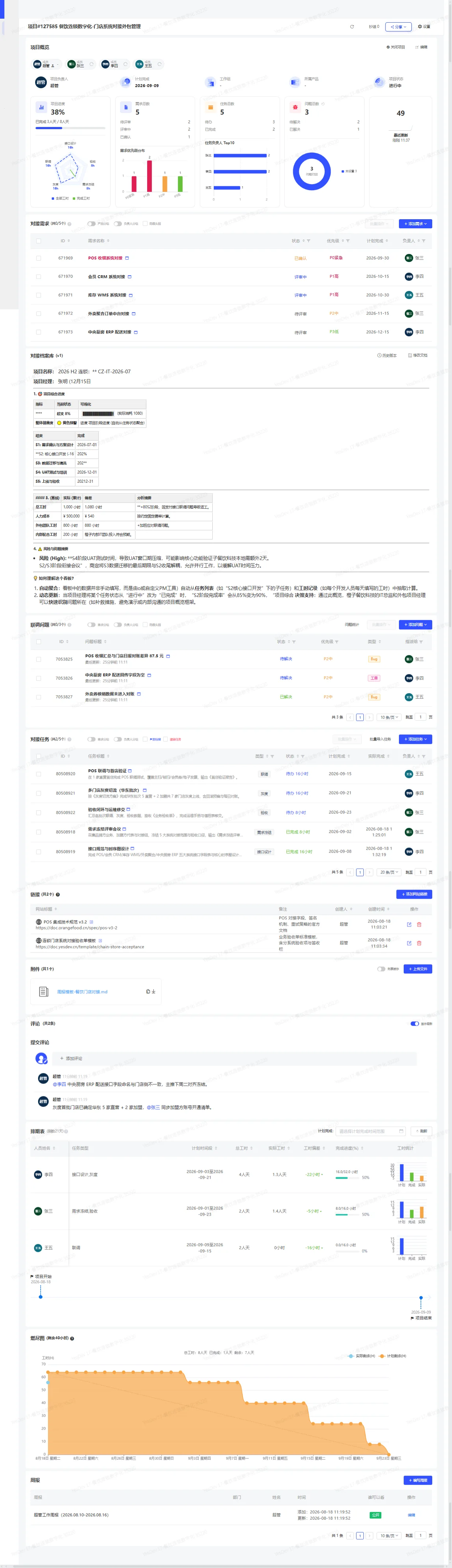
Template screenshotsClick to enlarge
3. Project Template
A structured project skeleton, ready to use out of the box: integration requirements grouped by the five systems (POS / member CRM / inventory WMS / delivery aggregator / central-kitchen ERP), integration tasks (with workhour estimation baselines), integration issue tracking, a document archive with acceptance templates, external reference links, cross-party weekly reports and workhour scheduling — covering the whole chain from requirement freeze to acceptance sign-off.
- 1Requirement freeze
- 2Interface design
- 3Integration testing
- 4Canary release
- 5Acceptance sign-off
4. Custom Fields
| Field | Type |
|---|---|
| Store type | Status |
| Systems to integrate | Status |
| Canary cut-over date | Text |
| Billing method | Status |
| Acceptance status | Status |
5. Workflow Configuration
6. Default Document Templates
Once the template is enabled, the following document structure is generated automatically (one-click creation will be available later).
- Project overviewProject background / delivery scope / responsibilities / acceptance criteria