1. Scenario
For construction digitalisation and smart-site R&D teams: from on-site requirement capture to acceptance delivery, with a built-in requirement pool, task breakdown, timesheet logging and change discussion — keeping frequent construction-site changes organised and documented.
Suitable for
Solves
2. Demo Company
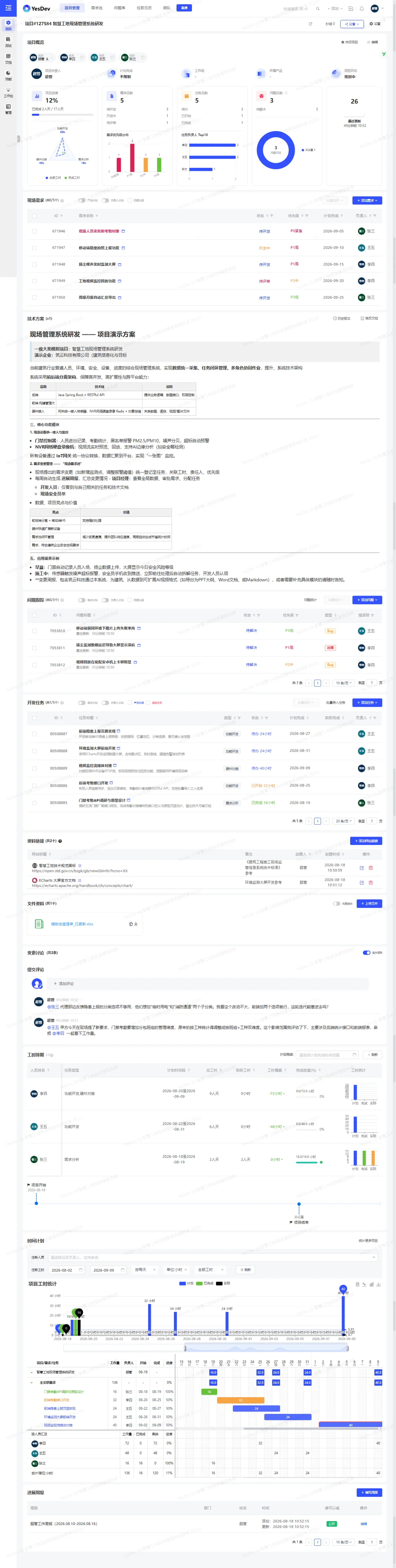
Template screenshotsClick to enlarge
3. Project Template
A structured project skeleton, ready to use out of the box: an on-site requirement pool (with change source), development tasks (with workhour estimation baselines), issue tracking, a technical design document template, change discussion, progress weekly reports, a schedule and workhour planning — covering the whole chain from on-site requirement capture to acceptance handover.
- 1Site research and requirement scoping
- 2System design
- 3Core feature development
- 4Hardware integration
- 5On-site pilot deployment
- 6Acceptance and training handover
4. Custom Fields
| Field | Type |
|---|---|
| Construction stage | Status |
| Affected area | Status |
| Change source | Status |
5. Workflow Configuration
6. Default Document Templates
Once the template is enabled, the following document structure is generated automatically (one-click creation will be available later).
- Smart site system technical designSystem architecture overview / hardware integration plan / on-site change management process / data security and permissions