1. Scenario
Designed for software outsourcing teams and project-based companies: a standardised delivery framework from requirement confirmation, prototype and UI design, development and integration, testing and acceptance to go-live delivery. Built-in structured milestones, requirement groups, task trees with estimated workhours, test cases and document templates let the team deliver to spec by following the sequence, reducing requirement disputes and acceptance risk.
Suitable for
Solves
2. Demo Company
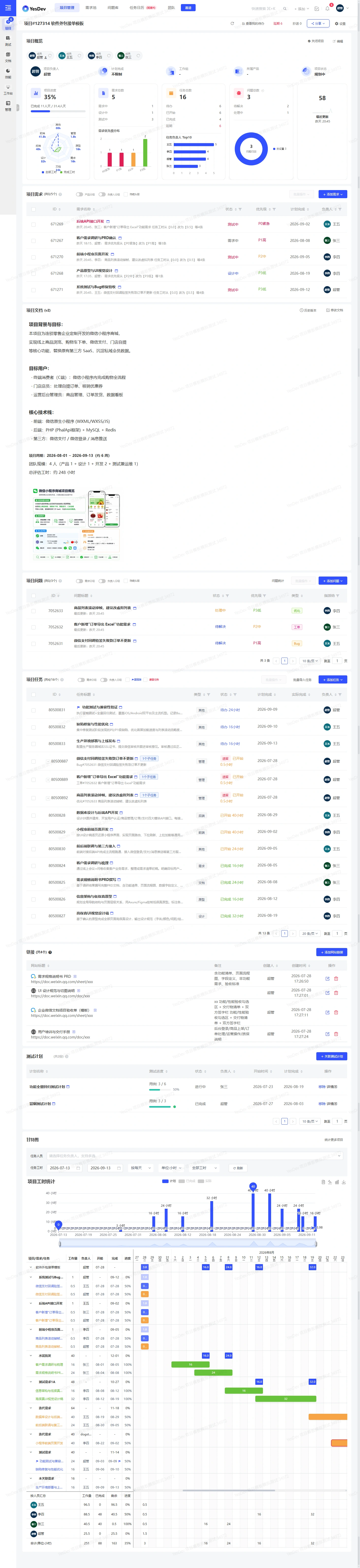
Template screenshotsClick to enlarge
3. Project Template
Pre-built tasks for the whole outsourcing order process, requirement groups, test cases, test plans, issue tracking, interface documents and project document links. Stages are split by milestone and tasks carry workhour estimation baselines, so it works directly as a quoting reference.
- 1Project kick-off and requirement confirmation
- 2Prototype design and client sign-off
- 3UI design guideline sign-off
- 4Backend API development and integration
- 5Frontend feature development
- 6Internal testing and bug fixing
- 7UAT and client sign-off
- 8Go-live deployment and handover training
- 9Warranty-period maintenance and wrap-up
4. Custom Fields
| Field | Type |
|---|---|
| Task type | Status |
| Estimated workhours | Number |
| Actual workhours | Number |
| Owner | Person |
| Priority | Status |
| Client sign-off gate | Status |
5. Workflow Configuration
6. Default Document Templates
Once the template is enabled, the following document structure is generated automatically (one-click creation will be available later).
- Project overviewProject background / objectives / delivery scope / contacts
- PRD (requirement document)Feature list / business flow / non-functional requirements
- UI design guidelinesVisual guidelines / component library / interaction notes
- Acceptance sheetUAT items / acceptance result / signature
- Training manualSystem operations / FAQ / maintenance notes
- Change logChange details / impact scope / client sign-off